call
+94 11 2 206 300
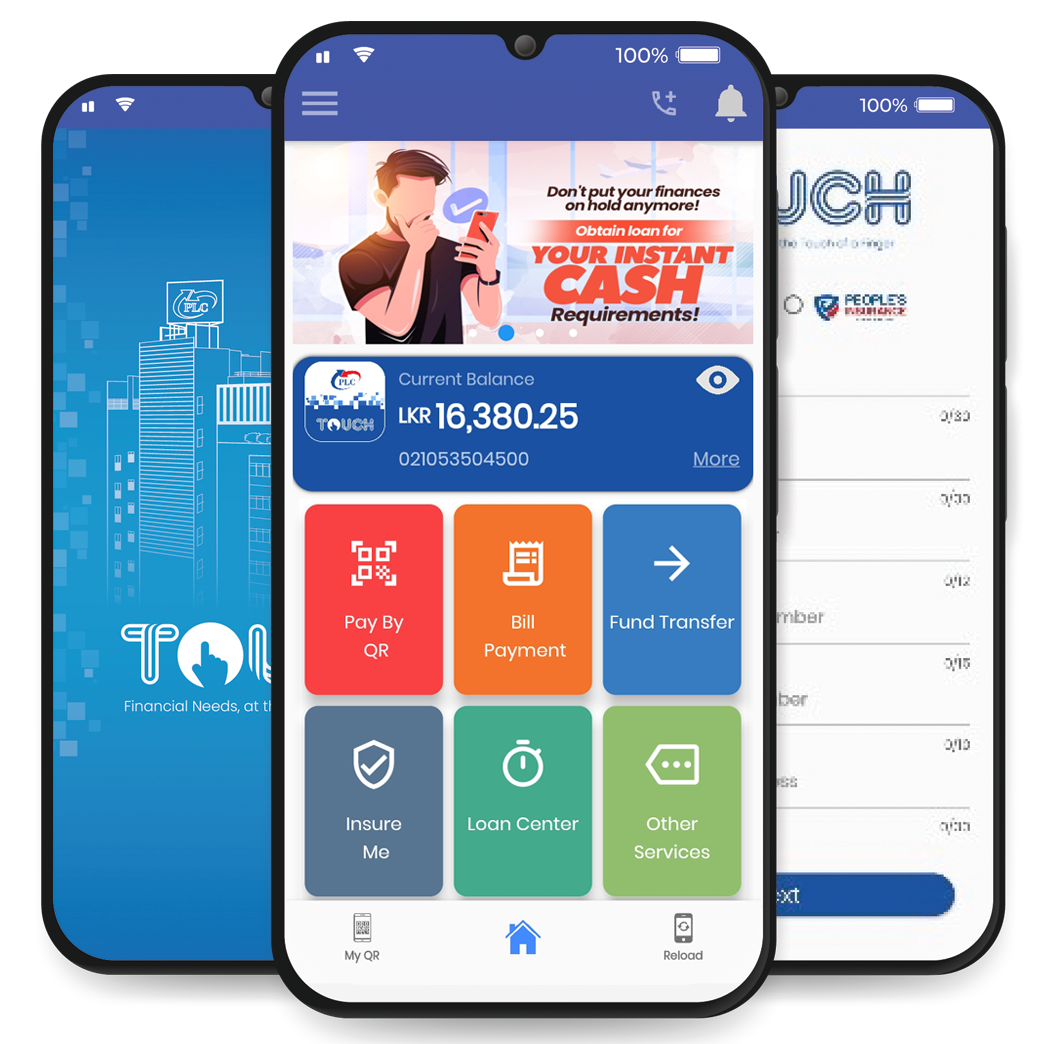
With PLC Touch, consolidate your finances and take them with you wherever you go! Offering a 360- degree view of all savings accounts, loans, leases, fixed deposits and insurance policies, PLC Touch offers unmatched convenience – all within a single mobile app.
Connect any bank account to enjoy cashless digital transactions, anywhere and anytime. Additionally, PLC Touch also offers features such as card lock/unlock, card freezing and special offers/promotions, in one unified platform.
Using your PLC Savings account number or People’s Insurance policy number and with your National Identity Card Number.
You can register for PLC TOUCH using only your registered primary mobile number with PLC.
PLC TOUCH is mobile and tab based application. It works on both Android and iOS operating systems.
Using PLC TOUCH app you will be able to view your transaction history on your mobile device. Further, you will be able to view transactions done under App Notifications icon. Separate email also generating for each and every transaction completed by using the app.
You can do this through app by using the “Forgot Password” option on the login page. Or please call the call centre on +94 11 2 20 63 63 to obtain a new password.
You can carry out fund transfers within your own accounts, any other PLC accounts & other bank accounts using “Fund transfer” option in the APP Home screen.
Yes. You can grant self-e-cash loan using “self-e-cash” option in the Instant Loan menu. Funds will credited to your savings account instantly.
You can download the app to your new device and register the device to your user profile using your existing login credentials.
The PLC TOUCH app does not store your login credentials or transaction details on your phone. Therefore, there is no risk of unauthorized access, even if your device is stolen, unless you have provided your login details to a third party. We strongly recommend that you do not share your login details or store your username/password on your phone (e.g. in your contact list), as details stored in it could be taken by any party who has access to your phone. Further, you can contact the Call Centre and deactivate the PLC TOUCH account.
You need to visit to any PLC branch and notify the change in writing, and have your details updated, after which you can log in to PLC TOUCH using the same username/password you were using prior to the mobile number change.
Currently there is no charges deducting from your savings account by using PLC TOUCH app.
Yes you can by choosing "change your password" and then you can change the password to one you prefer. Nevertheles you cannot change the user ID.
You can contact Call Centre and deactivate your profile
Please call our 24-hour Call Center on +94 11 2 20 63 63.